How to manage your SSS Social account, billing and posting analytics
Published · 3 min read
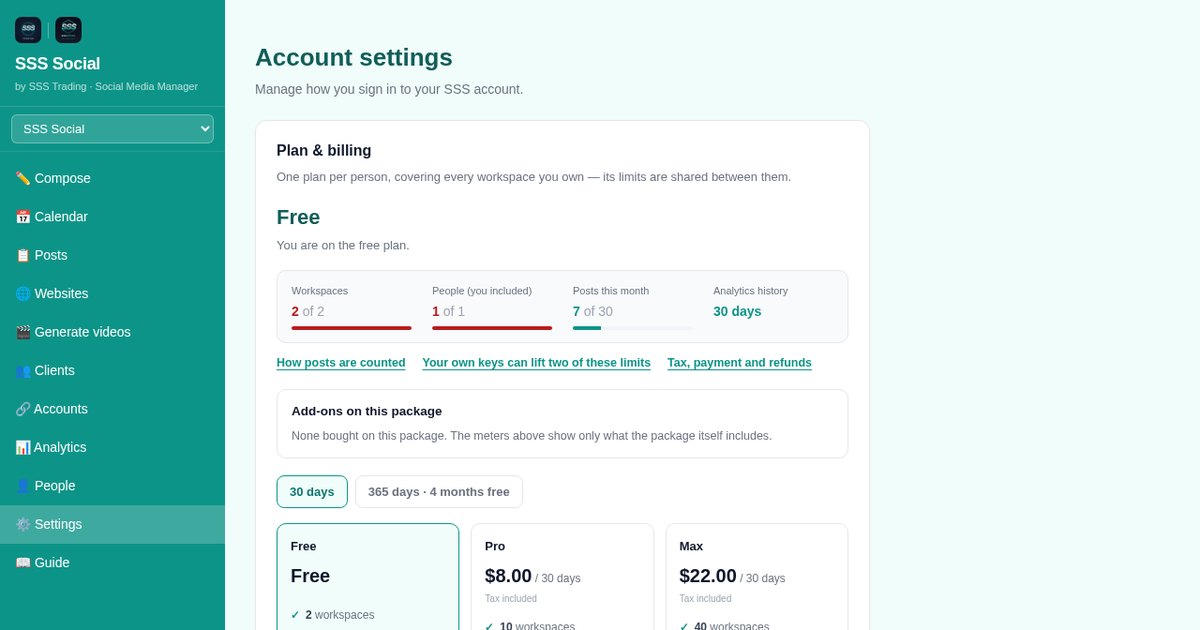
Everything about your account lives in Settings — password, package, usage and your own keys — and your publishing record lives in Analytics.
This article shows where each thing is, what Analytics can and cannot show today, and how to reach a person when you need help.
Watch the walkthrough
Before you start
- You are signed in. As the workspace owner you can also buy or end a package.
- For your own keys (optional, paid packages): an API key from your AI provider, or a Google Cloud project for YouTube.
Step by step
Step 1: Open Settings
Open Settings from the sidebar or the ☰ menu. It shows who you are signed in as, and is where you change your password — at least 8 characters, and different from the current one — or sign out.
Step 2: Check your package and usage
Your current package and its usage meters are shown in Settings, together with how posts are counted and the tax, payment and refund details. The pricing page also shows your usage when you are signed in.
Step 3: Buy or end a package
The workspace owner can buy a package for 30 or 365 days from Settings or Pricing. It never renews by itself. Ending one early forfeits the rest of the period, so you are asked to confirm twice.
 The pricing page — every package and add-on with its limits.
Step 4: Add your own keys (paid packages)
Under Your AI key, add a key from any AI provider and AI writing stops counting against an allowance — your provider bills you directly — and your video allowance grows tenfold. Under Your own YouTube project, connect your Google Cloud project for your own 100 YouTube uploads a day; a new project uploads as private until it passes YouTube’s free compliance audit. Keys are encrypted and removable at any time.
Step 5: Read your posting record in Analytics
Open Analytics for your publishing record across accounts: what went out, where, when, and whether it succeeded, with YouTube view counts where YouTube provides them. Facebook, Instagram and TikTok engagement figures are not available yet. How far back you can look depends on your package; the unlimited-history add-on shows everything since you started.
 Analytics — your publishing record across accounts.
Step 6: Get help from a person
Stuck? The Support page reaches a person — email admin@ssstrading.site and you usually get an answer within one business day.
Step 7: Delete your data if you leave
To have your account and data deleted, follow the steps on the data deletion page.
Tips
- Use a password you use nowhere else, and change it from Settings if you think it has been seen.
- Check Analytics after a busy week to confirm every post reached every account.
- The Features page lists everything SSS Social does today.
Frequently asked questions
Why does Analytics show no likes or reach for Facebook and Instagram?
Engagement figures from Facebook, Instagram and TikTok are not available yet. Analytics shows your publishing record for every account, and view counts for YouTube where YouTube provides them.
Where do I get an invoice?
Creem, the merchant of record, takes the payment and issues the invoice for each purchase.
How do I change my password?
Open Settings, enter your current password and a new one of at least 8 characters, and save.
How do I contact support?
Email admin@ssstrading.site or use the Support page. A person answers, usually within one business day.
The illustrated version is section 10 of the guide: Your account, billing and help.
Get started
Create your free account — everything in this article is in Settings from day one.
Create your free account
SSS Social is operated by SSS Trading. Contact: admin@ssstrading.site